
This is a dashboard walkthrough. Screens are captured from cloud.comify.io → Template Manager → Audience List.
Segment vs. List
Segment
Dynamic. Built from rules only. Membership is re-evaluated automatically as customer data changes — a contact can enter or leave a segment on its own, with no re-upload needed. Full guide →
List
Static. A fixed set of contacts, captured at a point in time — built either from a rule (snapshotted once) or by uploading a CSV. Membership only changes when you re-run or re-upload it. Full guide →
Open Audience List
From the sidebar, open Template Manager → Audience List. This is the unified Audiences page — every Segment and List you’ve created, with tabs to filter by type.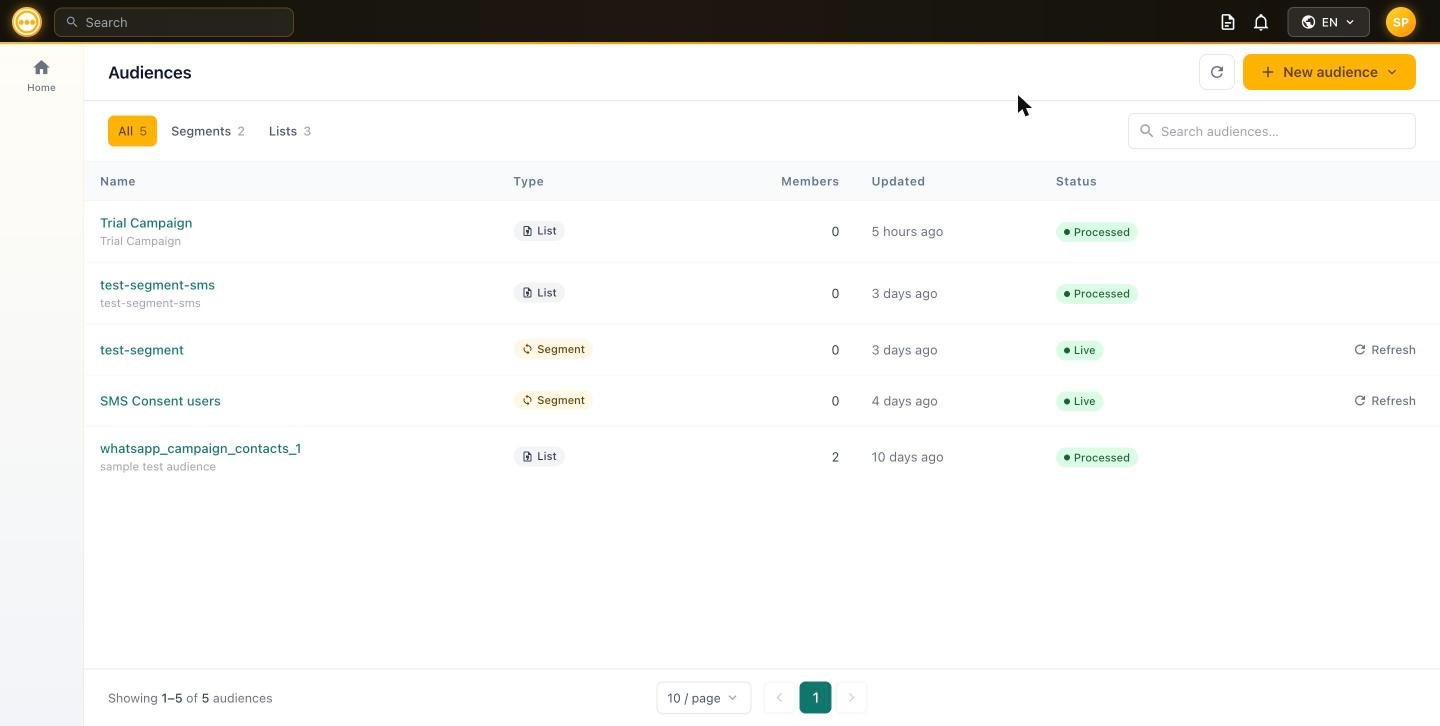
Audiences list — All / Segments / Lists, with Type, Members, and Status
Click + New audience to open the type picker:
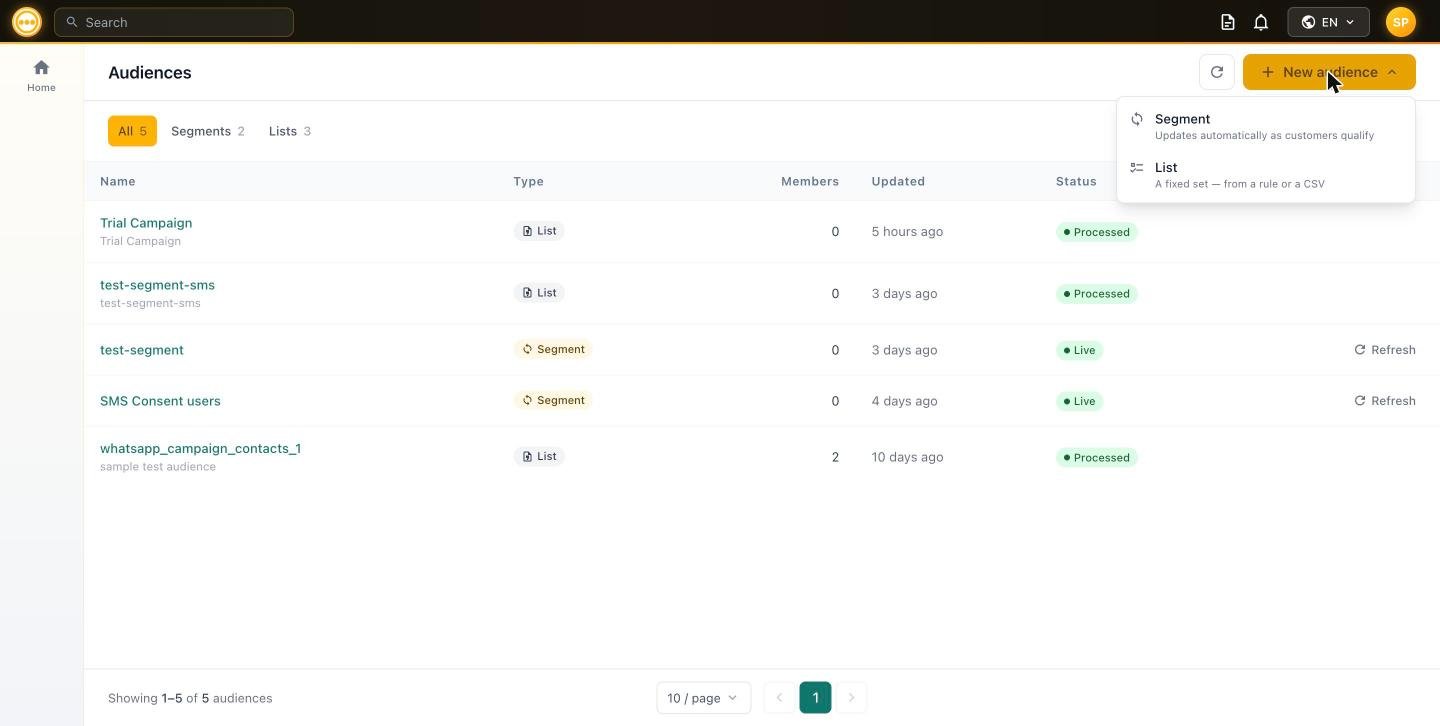
New audience — Segment vs. List
- Choosing Segment opens the rule builder covered in Segments.
- Choosing List opens the from-a-rule / upload-CSV builder covered in Lists.
Row behavior at a glance
Using an audience in a campaign
Once created, both Segments and Lists are selectable from the Audience step of any campaign — Email, SMS, or WhatsApp — under Select existing → Campaign audiences (Lists) or Comify segment (Segments).Next steps
Segments
Full rule-builder reference: every field, operator, and how live re-qualification behaves.
Lists
Building a static list from a rule snapshot or a CSV upload, and the CSV template.
- Send to this audience: Create a campaign
- Explore channel-specific sends: SMS Campaigns · WhatsApp Campaigns